Create your first look
- 01
Read the theme and choose a focal point
Pick eyes or lips as the main feature. Choose one main color and one accent before starting; this is our suggested workflow, not a scoring formula.
- 02
Test the tool on a small area
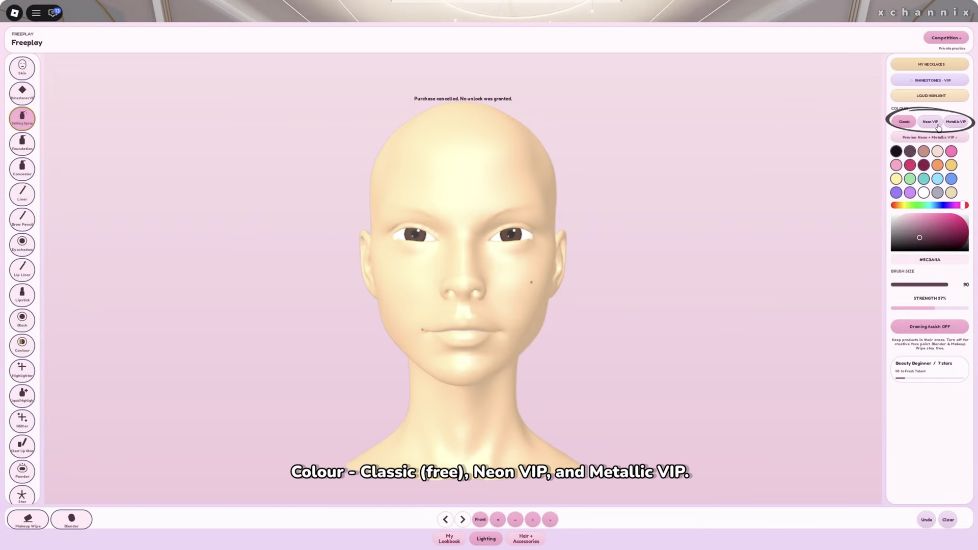
Choose a product on the tool rail, select a color, and try one small stroke. Adjust brush size and strength before painting a large area.
- 03
Build the main shapes
Finish the eye and lip shapes before adding fine decoration. Zoom out after each major change to see whether the theme still reads clearly.
- 04
Finish with styling
Try hair and lashes, inspect the face again, and leave the final part of your available time for corrections rather than starting a new detail.
Find the controls before painting
Fix the mistake before adding more makeup
| What looks wrong | Try this first | Check before continuing |
|---|---|---|
| Stroke is too wide | Undo the last stroke and reduce brush size. | Try a shorter stroke before repeating the full shape. |
| Color overwhelms the face | Reduce strength for the next test; correct the existing mark with the available controls. | Compare the whole face, not only the zoomed area. |
| Both eyes look crowded | Simplify one feature instead of adding another accessory. | Make sure the eye shape is still visible at normal viewing size. |
| Considering Clear | Use Undo for a single recent mistake. | Read the Clear action carefully; use it only when you intend to restart. |
| Timer is nearly finished | Stop adding details and fix the most visible imbalance. | Prioritize a complete, recognizable look. |
These are editing suggestions. A changed interface may expose different correction controls; check the current labels before resetting your work.
How to think about themed rounds
The official description confirms creating makeup, styling characters, competing in themed rounds and voting for favorite looks. Our suggested approach is to make the theme easy to recognize, finish the main look first and save detail work for remaining time. These are design suggestions, not hidden scoring rules.
A 30-second finishing check
- Look at the whole face: can you identify the theme without zooming in?
- Check whether hair or lashes obscure the detail you spent the most time on.
- Compare the two eyes, the lip outline and any unwanted marks.
- Keep one clear focal point; remove a distracting extra if time allows.
Use this as a personal checklist, not a fixed round timer or a promise of votes.
Three practice ideas
| Idea | Palette | Focus |
|---|---|---|
| Forest-inspired | Green, gold, warm neutral | A clear eye shape and one leaf-like accent |
| Ice-inspired | Blue, silver, pale neutral | Clean edges and a small highlight |
| Retro-inspired | One saturated color and black | A strong liner shape with restrained lip color |
If the experience will not open
Open the official Roblox link and read the availability message for your account. Access requirements and the beta interface can change; a copied experience with the same name is not a substitute.
Sources & editorial notes
Sources reviewed October 6, 2026. Button references come from creator footage linked below. Our practice and finishing suggestions are editorial advice, not developer-published scoring rules.